
Documentation
How CableNut works
Reference for every setting in the CableNut Adjuster, plus the basics of tuning a TCP/IP connection.
Registry setting reference
Every value the Adjuster can change, with what it does and its Windows default. Condensed from Microsoft’s TechNet documentation.
Windows 95 / 98 / 98SE / ME
Settings for the Win 9x Adjuster: MaxMTU, DefaultRcvWindow, NetBIOS timeouts, IGMPLevel and more.
Windows NT / 2000 / XP
Settings for the NT/2000 Adjuster: TcpWindowSize, Tcp1323Opts, SackOpts, AFD buffer sizes and more.
CableNut Custom Setting (.ccs) files
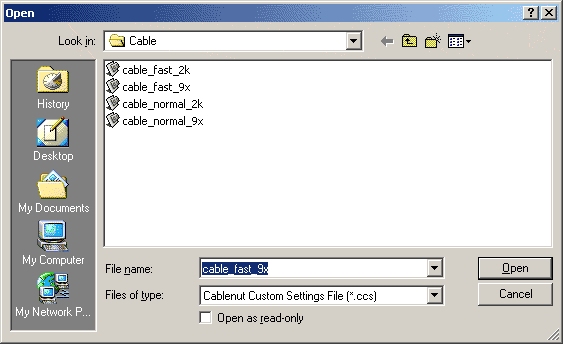
A .ccs file is a saved set of Adjuster values. CableNut ships with ready-made files for Cable, DSL, Satellite and Dialup, in “normal” and “fast” flavours for Windows 9x and 2000/XP.
Open one with File → Open, review the values, then click Save to Registry and reboot. You can also tune values by hand and save your own .ccs to share with other CableNut users. The community add-on pack grew to more than 60 of them.
TCP/IP tuning in 60 seconds
RWIN (receive window): TcpWindowSize, DefaultRcvWindow
How much data can be in flight before your PC has to acknowledge it. On a fast link with some latency, a small window leaves bandwidth unused. A good target is at least your bandwidth × round-trip time, rounded to a multiple of your MSS.
MTU (Maximum Transmission Unit)
The largest packet your connection will carry. 1500 bytes for Ethernet/cable, usually 1492 for PPPoE DSL, and lower for some dialup and satellite links. Too high causes fragmentation; too low wastes overhead.
MSS (Maximum Segment Size)
The data carried in each TCP packet: your MTU minus 40 bytes of TCP/IP headers. So 1460 for a 1500 MTU.
Tcp1323Opts: window scaling and timestamps
Enables RFC 1323 extensions so the receive window can grow beyond 64 KB, which matters for fast or high-latency links such as satellite.
SackOpts: selective acknowledgement
Lets the receiver say exactly which segments arrived, so only the missing pieces get resent after packet loss.
DefaultTTL: time to live
The maximum number of router hops a packet can take before it is discarded. 64 or 128 are typical.


You must be logged in to post a comment.