
Download
Get CableNut 4.08
The final release of CableNut. Free forever, with no ads, no nag screens and no time limits.
CableNut 4.08
| File | cablenut408.exe |
| Size | 823 KB |
| Released | October 26, 2001 |
| Windows | 95, 98, 98SE, ME, NT, 2000, XP |
| Connections | Cable, DSL, Satellite, Dialup |
| License | Freeware |
Softpedia tested CableNut 4.08 in 2006 and certified it 100% Clean: no spyware, viruses, trojans or backdoors.
Before you install
CableNut is built for Windows 95 through XP. Windows Vista and later tune TCP automatically (Receive Window Auto-Tuning), and many of the registry values CableNut edits are ignored or handled differently. Please don’t run it on Windows 10 or 11. It’s best enjoyed on a retro PC or in a Windows 98/XP virtual machine.
- Run
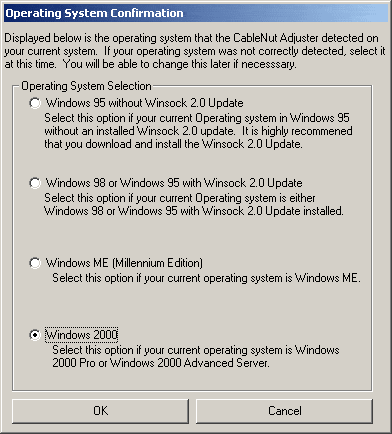
cablenut408.exe. The installer detects your operating system and configures the Adjuster to match. - Confirm your operating system when CableNut asks.
- Use the built-in registry backup before you change anything.
- Load a CableNut Custom Setting (.ccs) file for your connection type, or tune values by hand, then click Save to Registry.
- Reboot so Windows picks up the new settings. Didn’t help? Click Delete CableNut Tweaks or restore your backup.
New to the settings? Start with the documentation, or see what changed in the version history.


You must be logged in to post a comment.